If you would like to reset your password, please follow instructions below:
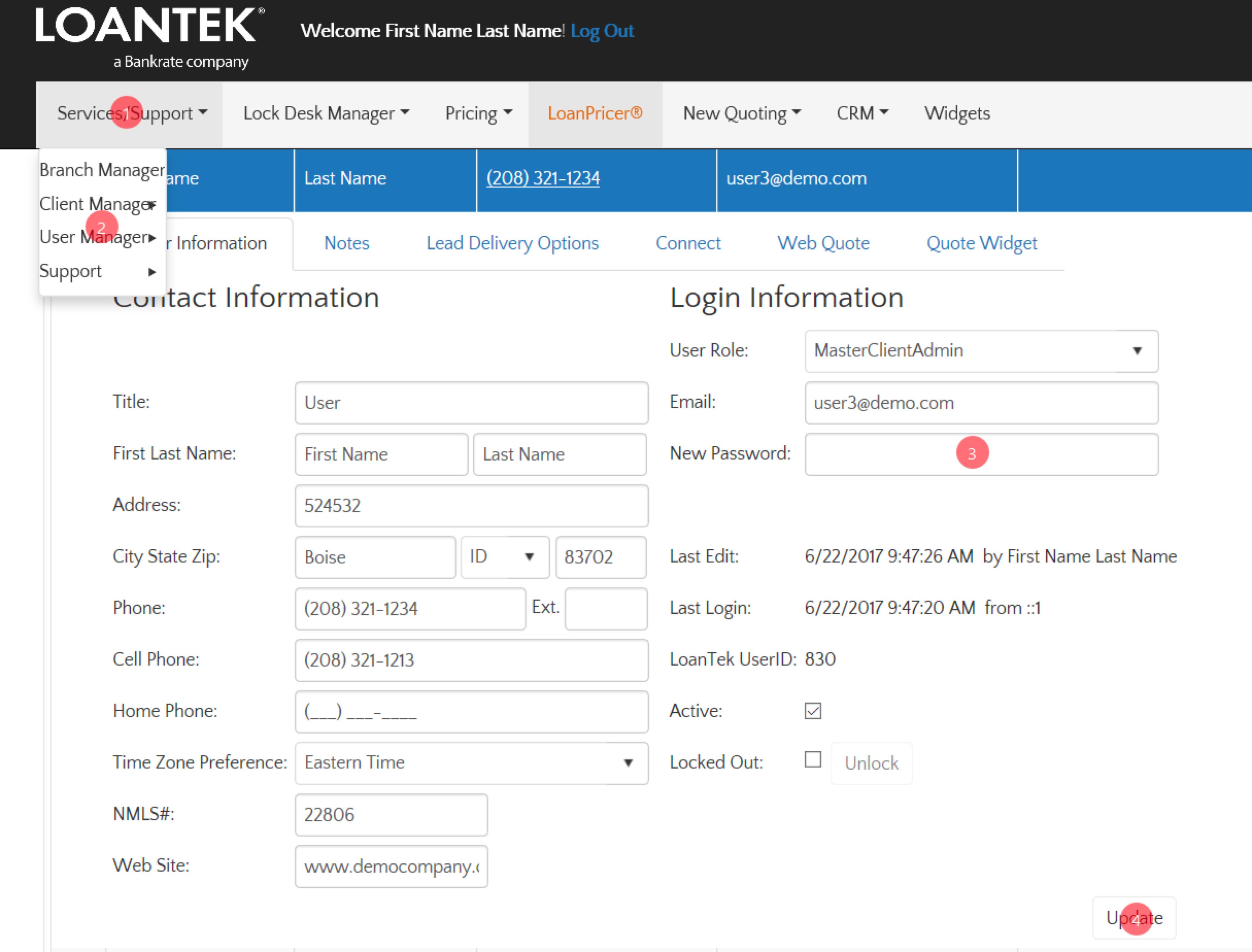
- Go to Services/Support tab.
- Select and click on User Manager. The “User Information” tab will populate.
- Enter your new password in the “New Password” field.
- Click Update

If you would like to reset your password, please follow instructions below:
Comments
0 comments
Article is closed for comments.